I found some old drone footage that I shot a couple of years ago using my DJI Mini 2 drone. I was out at Magnolia Bluff on a moderately windy summer day not really paying attention to anything or I would have shot more footage of the hawks that were flying around.
I stitched them together using the cross dissolve transition between the videos.
Each video has the vibrance effect added to it to pump up the color.
I’m really loving the FCP on the iPad. Being able to use the Apple Pencil makes editing so easy.
The jog wheel is another feature that makes editing easy. Moving through video one frame at a time is amazing.
Some video of geese in flight shot on my Pixel 8 Pro. The cameras continue to amaze me. Being able to point and shoot with this quality is a treat.
I used a ShiftCam Pro Grip to help steady the phone. It’s a nice bit of gear that I picked up this year. If you are not familiar with this phone grip I would suggest checking them out https://shiftcam.com
The Pro Grip is great for controlling my phone with one hand. It has a hand strap that is well padded. The Pro Grip lets me focus on my subject instead of worrying about dropping my phone. It reminds me of the grip I had for my Sunshine Yellow Lumia 1020.
While the ShiftCam seems to be geared more towards the iPhone it does work with Android devices.
All of the videos were edited in Final Cut Pro for iPad. I used standard titles and the Cross Dissolve transition between each video.The music in the background is from FCP while all of the honker noises were captured with the 8 Pro.
I’m still learning how to use the app but believe that I am getting better with each video.
This video was shot with my Pixel 8 Pro and edited with Final Cut Pro for iPad.
Most of the videos were enhanced with the Pixel’s Video Boost feature.
The videos are a combination of Night Site Time Lapse, Slow Motion, and regular videos. The regular videos had the Video Boost feature added after shooting.
I still have a lot to learn but Final Cut Pro on the iPad makes editing and stitching together videos. The iPad’s pencil is a nice tool to use in conjunction with the iPad while editing. They make quick work of the editing process.
First, let me preface this post by saying this is purely a way to keep track of where I am in the learning process, keep my mind focussed with a goal, and myself honest.
That said….
Over the last few weeks I have had an itch to purchase an 11” M2 iPad Pro. I have checked the Best Buy website for sales and “Open Box” deals. I have driven to the Apple Store to look at the aforementioned 11” M2 iPad Pro. I have gone through the online purchase process, looking at the trade-in value of my 11” M1 iPad Air and going all the way right up to the cliff’s edge of purchasing, but eventually talking myself down.
I tell myself I have a perfectly good 11” M1 iPad Air, which is true.
I don’t need an 11” M2 iPad Pro.
Also true.
But the itch never fully goes away. I find myself circling the online Apple Store like prey.
During these obsessive episodes the impulsive portion of my brain throws out numerous wonderful reasons for the switch.
I could be soooo much more productive with an M2 chip.
The display of the iPad Pro has a 120hz refresh rate, DOUBLE that of the iPad Air!
The 11” M2 iPad Pro has Pro Motion.
It has an ultra wide camera.
It can record 4K video.
It has Face ID.
It has a Thunderbolt port.
It has quad speakers.
It has the Apple Pencil Hover feature.
With all these reasons for the iPad Pro why would anyone not buy it?
Yes, why would anyone not buy it?
During my struggle over this purchase I have done research, watched comparison videos, and review videos. I have tried to discover what is coming down the pipe with the M3 iPad Pro. All of this has not helped resolve the issue in my mind.
For every video telling me to wait or saying the iPad Air is a fine, capable device there are as many telling me how great the M2 iPad Pro and I should purchase it.
I needed some way to apply the brakes, take a step back, and focus.
When Finalcut Pro for iPad came out I grabbed the free trial version and played around with it. When the trial ended I purchased the app and then promptly ignored it.
Yep.
So to keep my urge under wraps I have made a bet with myself; learn Finalcut Pro on the iPad and I can purchase either the M2 or the M3 iPad Pro. Don’t and the iPad Air will be my go to for the foreseeable future.
This is Day 1 and already my mind is looking for an out.




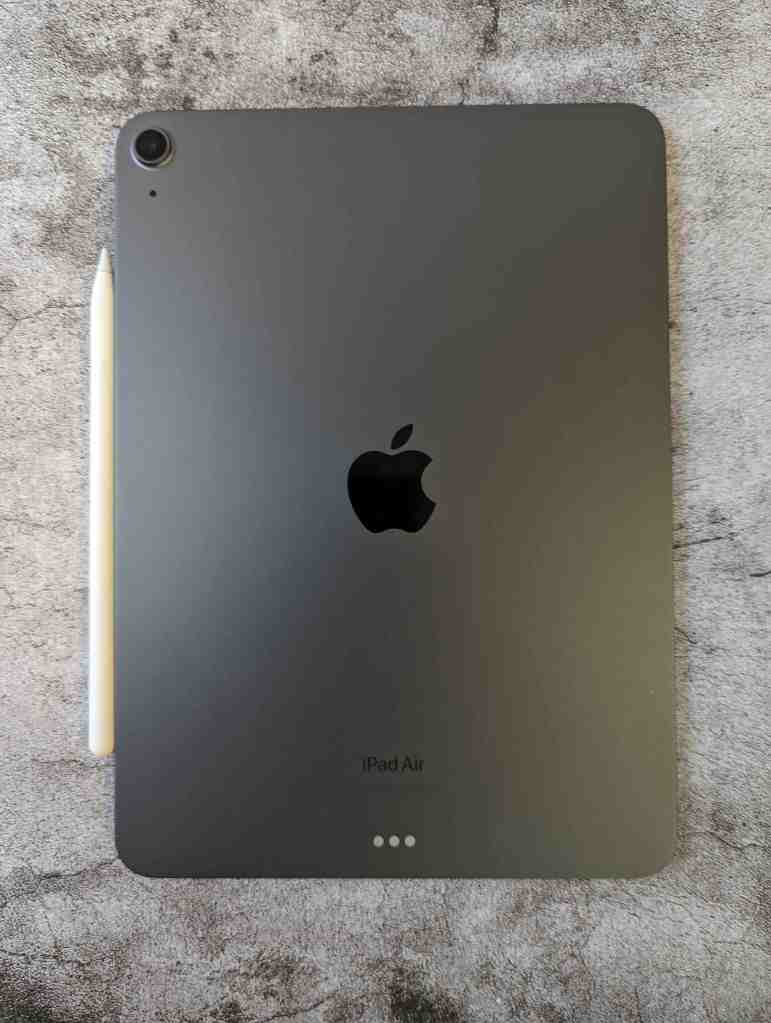
 My Final Cut Pro