
So why did I want to master Final Cut Pro?
It started with the Mac version of Final Cut Pro. I was looking for something that was more powerful than iMovie and the more I looked into what people were using, the more I liked what I saw.
All of the reviews I read or watched said the interface of Final Cut Pro was great for its exceptional design and user-friendliness, which contribute to its reputation as one of the top video editing software options. There are several factors that contribute to making the Final Cut Pro interface so good:
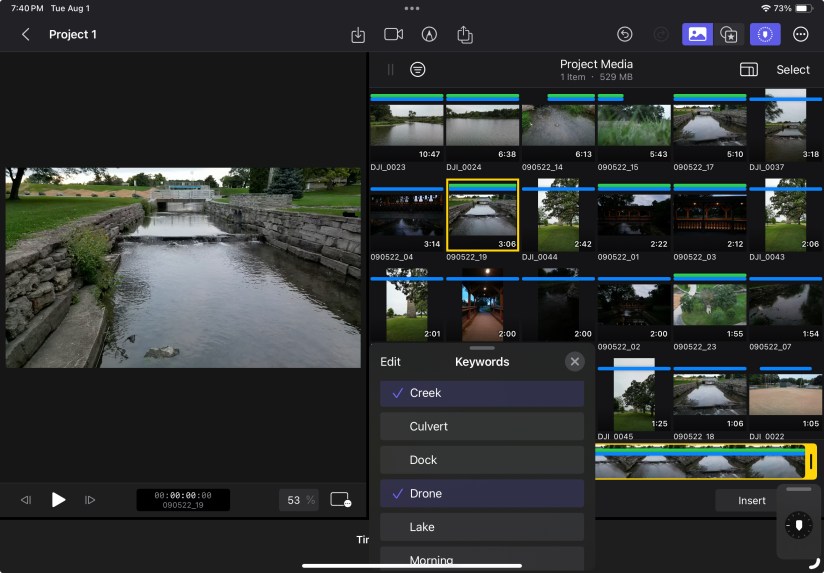
Intuitive Layout: The layout of Final Cut Pro’s interface is well-organized and intuitive. The magnetic timeline, for example, simplifies the arrangement of clips, effects, and transitions, making it easy to create a seamless flow in your project.
Customizability: Final Cut Pro’s interface can be customized to suit individual preferences. Users can arrange and resize panels, adjust workspaces, and create layouts that match their specific workflows. This adaptability allows editors to have a workspace that suits their needs.
Drag-and-Drop Functionality: The software’s drag-and-drop functionality makes it incredibly simple to import media, move clips around, and apply effects. This fluid interaction reduces the learning curve and enhances the editing process.
Thumbnail and Waveform Views: The visual aids in Final Cut Pro, such as thumbnail views of clips and waveform displays in the audio tracks, provide editors with an at-a-glance understanding of their content. This helps in making precise edits and adjustments.
Keyboard Shortcuts: Final Cut Pro offers a wide range of keyboard shortcuts that can significantly speed up the editing process. These shortcuts allow users to access various functions without navigating through menus, boosting efficiency.
Minimalistic Design: The design of the interface is clean and clutter-free. This minimalistic approach ensures that users can focus on their editing tasks without distractions, resulting in a smoother and more productive workflow.
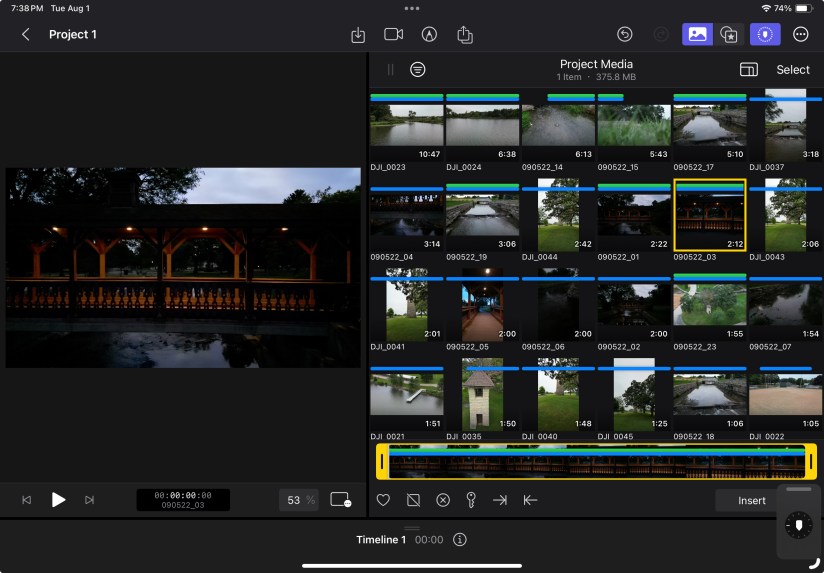
Real-time Preview: The real-time preview feature allows editors to see changes as they are made, whether it’s applying effects, transitions, or color adjustments. This instant feedback helps in making informed decisions during the editing process.
Consistency with Apple Ecosystem: If you’re already familiar with other Apple software and products, you’ll find Final Cut Pro’s interface consistent with the design language of the Apple ecosystem. This consistency makes transitioning from other Apple applications smoother.
User-Centric Design Philosophy: Apple is known for its focus on user-centered design, and Final Cut Pro is no exception. The interface is designed with the user’s needs and preferences in mind, ensuring that tasks can be accomplished with ease.
Regular Updates: Apple frequently updates Final Cut Pro with new features and improvements. These updates often include refinements to the interface, ensuring that it remains up-to-date and continues to meet the evolving needs of editors.
In essence, the interface of Final Cut Pro excels in its user-centric design, providing a powerful yet accessible platform for video editing. Its thoughtful layout, ease of use, and adaptability contribute to its popularity among both beginners and experienced editors.
 My Final Cut Pro