
Yesterday I spent a good chunk of time looking through the videos that I had shot and assigning keywords and scrubbing through to see what sections I like to each video and which I didn’t. I thought I was done with all of that but then I started looking at them and went through the whole process again today.
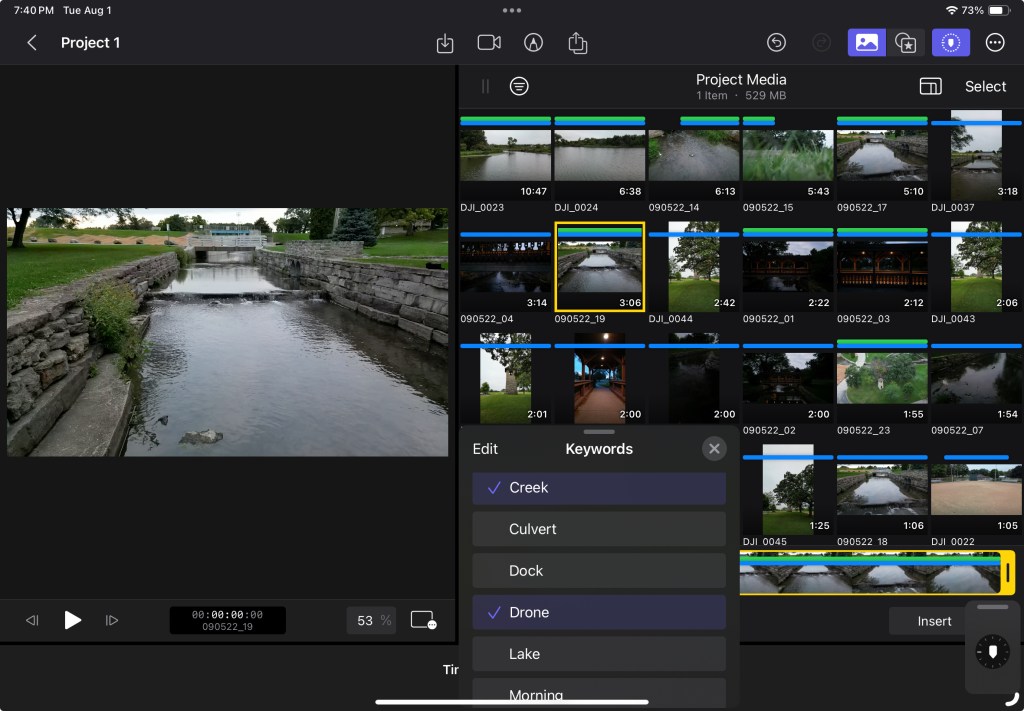
I don’t know if everyone goes through that if they walk away from a project and then come back to it or if it’s just some weird mental hang up, I have. Part of my brain was saying I was being compulsive while the rest said I had every right to do what I wanted. Either way, I do feel everything is categorized the way I want it now. So that’s an accomplishment in itself.
My brain though is saying that I wasted my time yesterday doing the same thing.
I have decided that I’m not going to change any of the keywords. I am also going to try and use all the videos as is without any additional tweaking. I don’t know how rational of a decision that is especially when I start putting all the videos in a timeline, but I’m going to try.
I am also beginning to remember what I must do to favorite a clip add a keyword so I’m developing a kind of muscle memory for final debt pro on iPad. That makes me feel pretty good.
I had to go back through some of the tutorials to remember how a video gets reversed. There are quite a few videos in the footage that I shot backwards for some reason. I don’t remember why but I realized that they needed to be reversed or they really didn’t make sense.

I also shot quite a few in slow motion so they need to be speeded by about 500% to make them fit with the other clips. Both reversing the clip and increasing the playback speed are in the same general portion of the app, so it was pretty easy to do both.
That’s it for this entry my cat is telling me that I’ve ignored him enough this evening and he wants attention.
Tomorrow begins the real work.
 My Final Cut Pro