I found some old drone footage that I shot a couple of years ago using my DJI Mini 2 drone. I was out at Magnolia Bluff on a moderately windy summer day not really paying attention to anything or I would have shot more footage of the hawks that were flying around.
I stitched them together using the cross dissolve transition between the videos.
Each video has the vibrance effect added to it to pump up the color.
I’m really loving the FCP on the iPad. Being able to use the Apple Pencil makes editing so easy.
The jog wheel is another feature that makes editing easy. Moving through video one frame at a time is amazing.
Some video of geese in flight shot on my Pixel 8 Pro. The cameras continue to amaze me. Being able to point and shoot with this quality is a treat.
I used a ShiftCam Pro Grip to help steady the phone. It’s a nice bit of gear that I picked up this year. If you are not familiar with this phone grip I would suggest checking them out https://shiftcam.com
The Pro Grip is great for controlling my phone with one hand. It has a hand strap that is well padded. The Pro Grip lets me focus on my subject instead of worrying about dropping my phone. It reminds me of the grip I had for my Sunshine Yellow Lumia 1020.
While the ShiftCam seems to be geared more towards the iPhone it does work with Android devices.
All of the videos were edited in Final Cut Pro for iPad. I used standard titles and the Cross Dissolve transition between each video.The music in the background is from FCP while all of the honker noises were captured with the 8 Pro.
I’m still learning how to use the app but believe that I am getting better with each video.
This video was shot with my Pixel 8 Pro and edited with Final Cut Pro for iPad.
Most of the videos were enhanced with the Pixel’s Video Boost feature.
The videos are a combination of Night Site Time Lapse, Slow Motion, and regular videos. The regular videos had the Video Boost feature added after shooting.
I still have a lot to learn but Final Cut Pro on the iPad makes editing and stitching together videos. The iPad’s pencil is a nice tool to use in conjunction with the iPad while editing. They make quick work of the editing process.
The purchase of the Pixel 8 Pro has brought many things to my love of #pixel, but I am a bit embarrassed to say that, even though I have had Night Sight since my Oh-So-Orange 4 XL, I have just thought of stringing together the one second videos that are produced when I take a Night Sight photo. How’s that for a run-on sentence?
While I have loved using my phone to take low light photos since my Sunshine Yellow Lumia 1020, the Night Sight feature on Pixels has opened the night sky to me. It is always amazing to see how many stars are actually in the sky at night.
The thing I had missed in the reviews and videos was that a one second video was produced when taking a long exposure Night Sight photo. For me, the photo must be 2 minutes 34 seconds or longer for the app to produce a video. The video is a time lapse of the photo. While I thought the videos were interesting, I never thought to take a series of photos and the combine the resulting videos into a string and make one time lapse video. That is until recently.
There can be something eerily beautiful with these photos
So I am going to continue to play with this and see what can be produced.oogle
A colection of drone footage. The DJI Mini 3 Pro is an amazing device and the pictures and video it can produce never disappoint.
Clouds and sunlight are a beautiful, vibrant mix of visual pleasure. Being able to shoot video at a couple of hundred feet above the earth makes it even better.
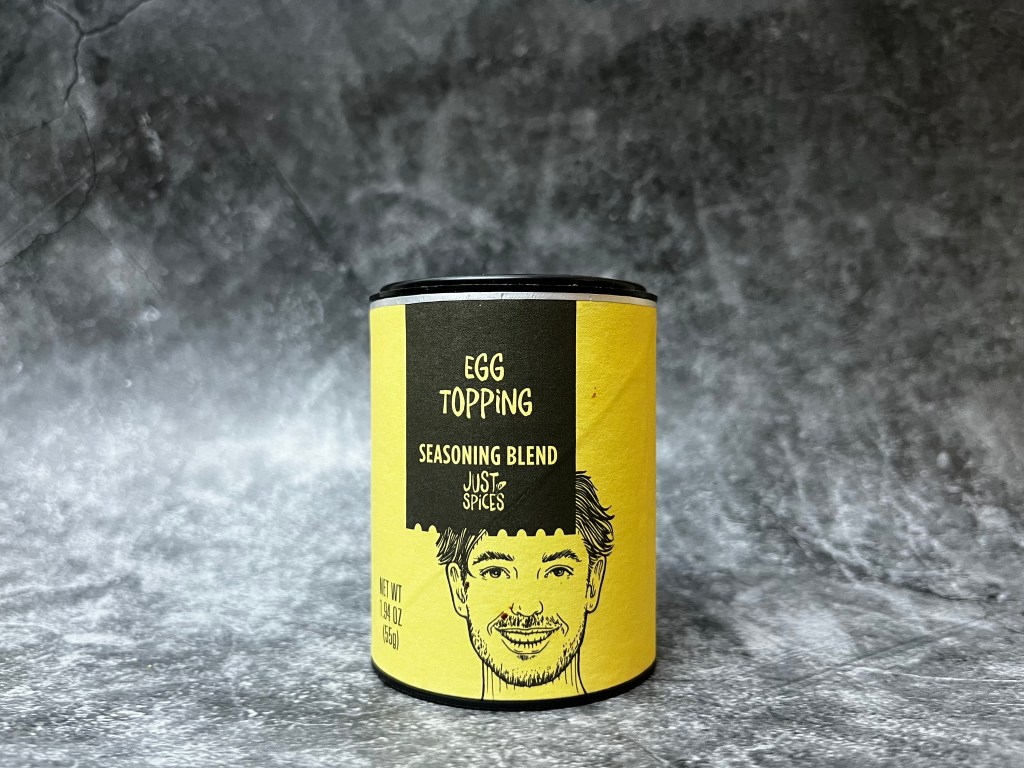
This evening has been spent repeating the video creation process for each of the twenty-four @JustSpices Seasoning Blends I have in my collection. Thanks to the template I made this has been a relatively smooth process. More a matter of making sure I had things aligned properly and then going through the export process.
About a third of the way through I began wondering if I should change the soundtrack for each video. After much consternation I decided that would be ridiculous. Quite a bit of busy work and another way to distract me from having everything finished in a timely manner.
So I resisted the urge to dive headfirst into Garage Band and waste four or five hours trying to come up with differing soundtracks. I have confined myself to the task at hand and now possess twenty-four individual blog intros.
It may not seem like a great accomplishment, but trust me, it is.
Now all I need to do are the reviews.
I also need another idea to work on with Final Cut Pro.
Mark Twain once said: “The secret of getting started is breaking your complex overwhelming tasks into small manageable tasks, and starting on the first one.”
That’s what this feels like.
I have a complex overwhelming task. My brain keeps playing the same old tapes. Why am I even trying to do this. I won’t succeed. There is no way I will ever become proficient with Final Cut Pro. No one cares. And that is where I am right now.
I am still plugging away. I worked on refining the intro. It was much quicker the second time around. I had a clear idea of what I wanted and a better understanding of how I needed to do it.
Importing the pictures was a snap and then scrubbing through them to make each the proper length took very little time.
To save time I exported the video before I added a soundtrack then imported it into a different project and adjusted the playback speed until I had it where I wanted it to be.
I wanted something that would move quickly but not be too short and go by in a blur. Nine seconds felt about right and adding a place holder for the subject of the review would allow me to make subsequent videos easily.
The hardest part was getting the soundtrack to be the length that I needed. I ended up having to add a filler to the beginning of the timeline and adjust the soundtrack so it began and ended where I wanted it to. The I exported it and airdropped it to my phone. I trimmed the video on my phone and airdropped it back to my iPad. There may be an easier way to do this, but I do not know it.
I made a new project, imported the video, and named it “Template” so I remember to not delete it.
I am going to make all of the intro videos I need and save them to an external hard drive, so I have them in a safe place to grab them from when I need them.
I am hoping it will be as easy as that sounds.
That is about it for tonight. I hope all of you are well.
Well Moo has been particularly needy tonight and has insisted on sitting in my lap or on my laptop.
I prefer that he not sit on my laptop so he has to settle for my lap. This has led to an endless amount of paw taps and nose boops and has made typing almost impossible.
Sorry, but nothing new to report on the Final Cut Pro front.
So, it’s day 12 and I think this is where I’m going to say the video is finished.
I feel that it’s OK to say that.
I don’t think that it’s an amazing video. I certainly don’t think it’s a perfect video, but I believe it’s a lot better than the original. That’s what I was shooting for.
This process has taught me a lot.
I need to plan out what I’m shooting instead of hoping the footage I take will somehow allow me to piece it all back together and make a decent video from it. I don’t know if that means having a list of bullet points for the shots I would like or if it will mean doing a quick storyboard to plan the shots and sticking to that. Either way, better planning should make for better videos. It will also save me time in the editing process.
Another thing that I’ve learned is the need to keep things simple. While I was going through the final steps, I had to resist the urge to put transitions between each clip. I had to keep telling myself that each clip didn’t need some sort of effect to make it good. Prior to working on this project, I really thought every clip needed to have an effect. Before taking the time to watch the tutorials, to watch other creators, and to look at the user guide, it seemed like if an effect was available, then each clip should have one.
Simple is better.
Is this video perfect? No.
There are things I see in it I wish I had done differently. I should have taken more still photos with my drone. There are places in the video that I would have liked to have added a still shot to, but I didn’t have it available. I believe as I take more footage, I will have that thought in my head. I need to think about what I am shooting and take a few pictures, so I have them available. I may never use them, but they would be available if I needed them.
Does finishing this video make me an expert at Final Cut Pro? No.
I consider the bet I have with myself to be ongoing. I do feel more comfortable using the software, but it isn’t intuitive for me. I want to get to the point where I remember how to do things and I don’t have to look at notes or go back over a tutorial to find what I want to do. I want to develop that muscle memory.
I’m going to continue with the blog. I’m going to continue to post pictures and videos, And I’m going to continue to learn to use the app and become more comfortable with it. That’s the only way I’m going to learn.
I still have a couple of months before the new iPads are announced that gives me the time, I need to become more comfortable with the app.
On a side note, one of the things that I have come to appreciate with using an iPad, a MacBook Air, a Mac mini pro, and an iPhone is AirDrop. It was very nice being able to share things that were saved on one device with another with the touch of a couple of buttons. I don’t believe I’m an apple fanboy, but I do appreciate the ecosystem.
That’s it for tonight. I’m heading off to bed. I hope that you all have a good evening and I look forward to continuing my journey with Final Cut Pro.
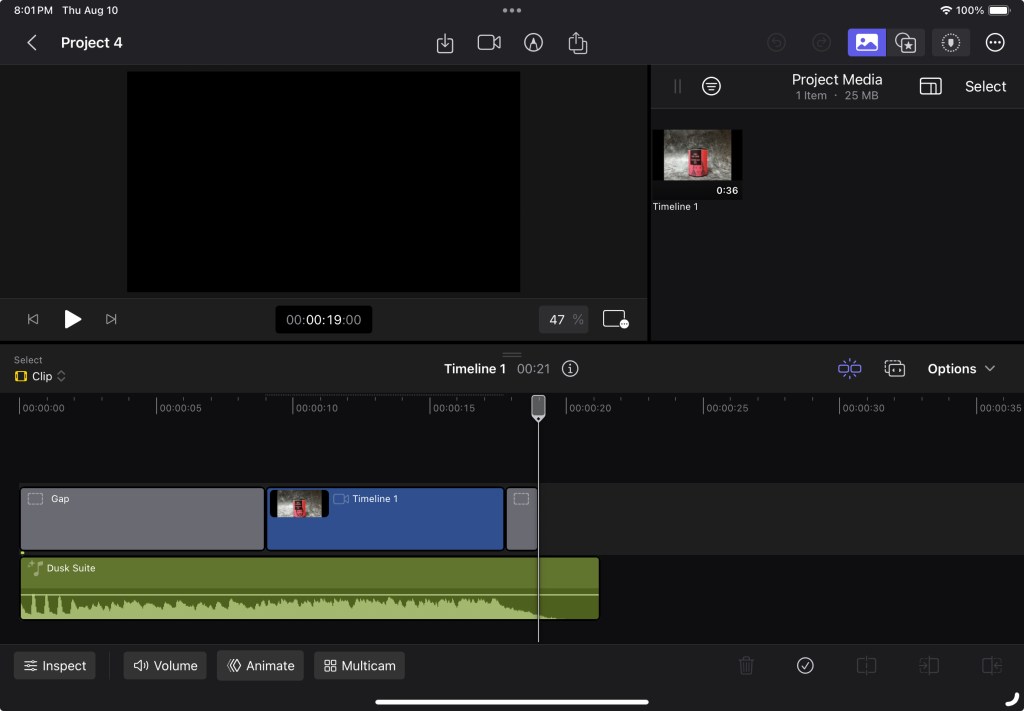
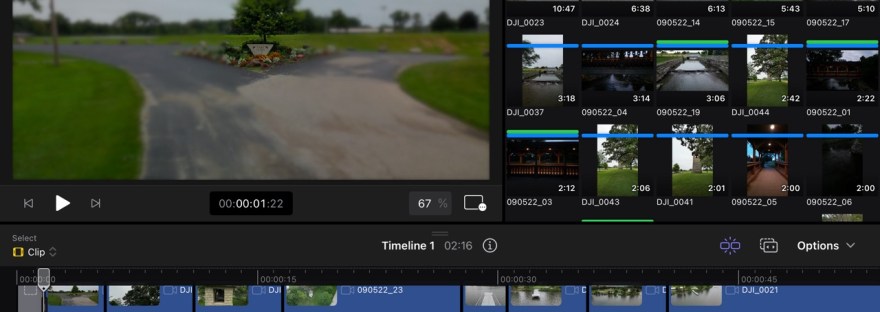
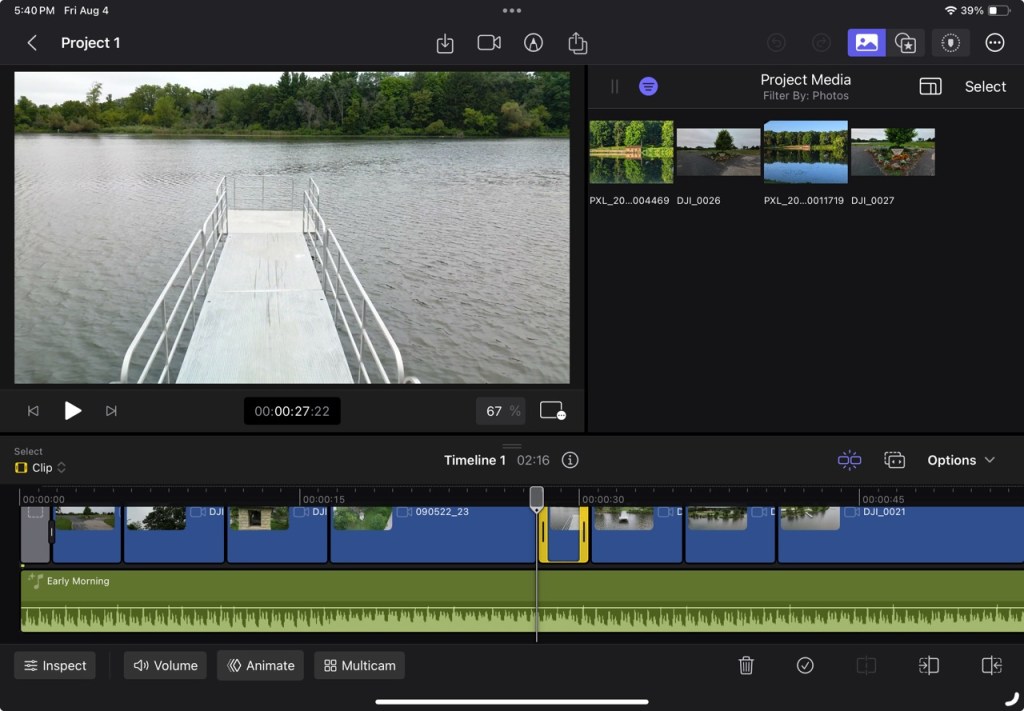
I have added some stock music that @Apple provides in the app and am in the process of trying to have everything sync the way I think it should (the way other Youtubers say it should at least). That is an exercise all on its own. I have gained an appreciation for the jog wheel. It has allowed me to be very precise (I hope) in placing videos in line with the music.
It is also good to be able to use the Apple Pencil in the editing process. I like using it to scrub through videos. It seems to allow for a smoother flow than my finger does.
That said, after spending a couple of hours working to get everything just right I ended up with a video that did not quite sync with the music.
I think it may be that I imported the music but did not sync it to the end before I started tinkering with everything. When I had very thing the way I wanted it I collapsed the soundtrack to the end of the video and voila, everything was now just a smidge out of sync.
Lesson learned.
I will attempt another sync tomorrow and hopefully have the rough version that I can add some polish to.











 My Final Cut Pro